Flipper Zero animation maker
Flipz is a free pixel editor for making your own Flipper Zero desktop animations and wallpapers. It runs in your browser, draws on the same 128×64 one-bit screen the Flipper has, and exports files you can copy straight to the SD card.
What you can do
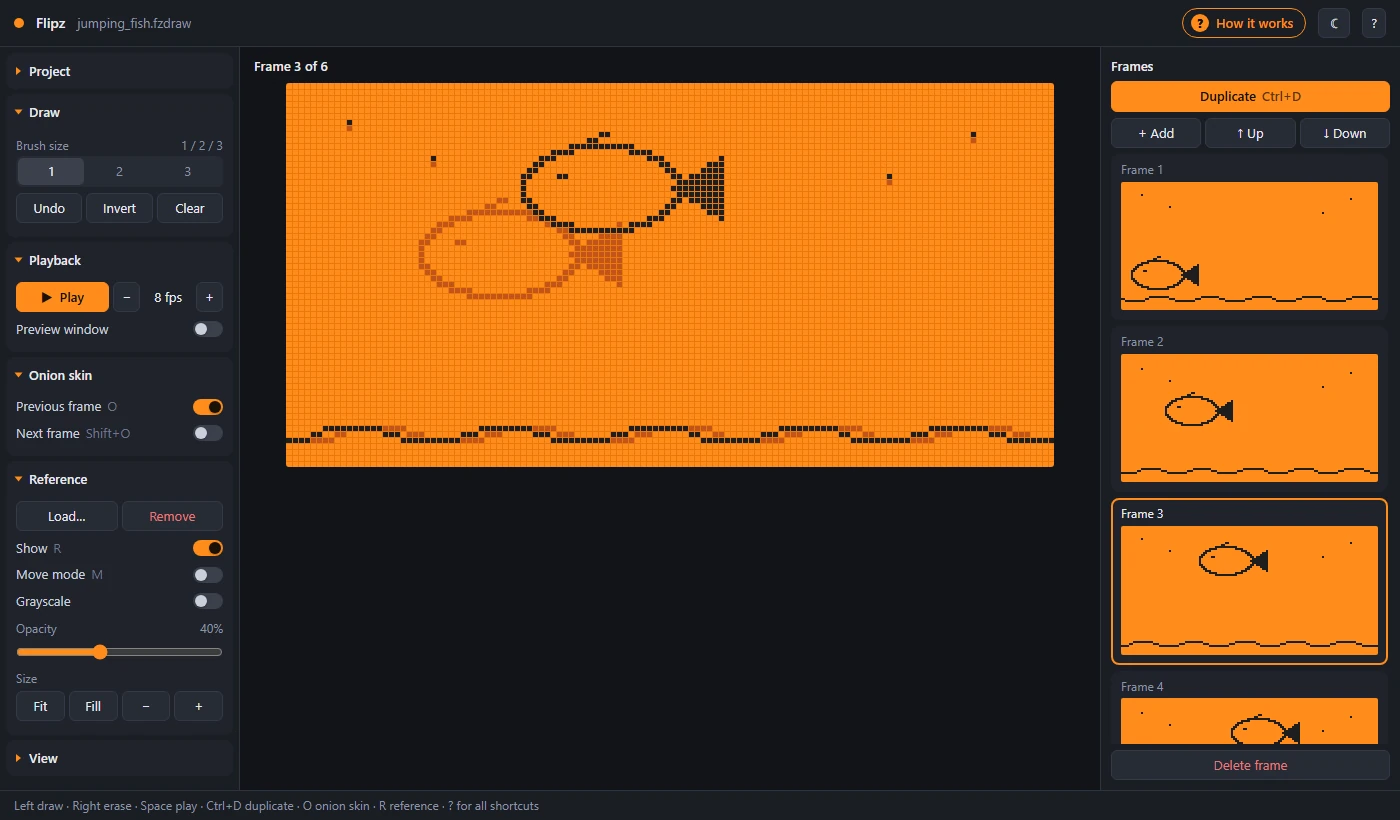
- Draw at the real resolution. A 128×64 canvas where every pixel is either dark or off, exactly like the device. Pencil and eraser in sizes 1, 2 and 3, invert, clear, and undo for every frame separately. The eraser works with a mouse, touch or a pen's eraser end.
- Animate frame by frame. Duplicate a frame, change it a little, repeat. Reorder frames by dragging, and pick a frame rate from 1 to 30 fps.
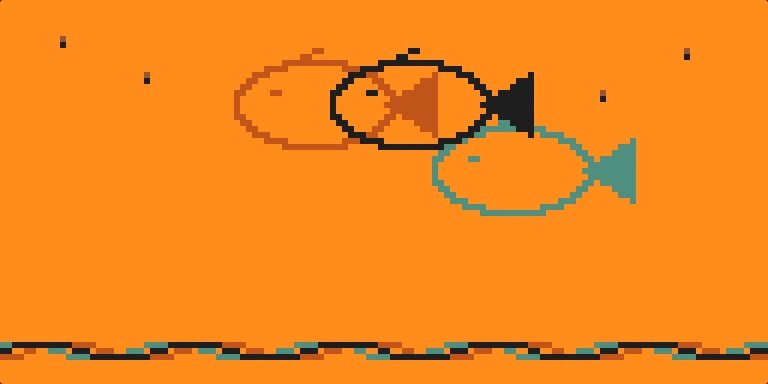
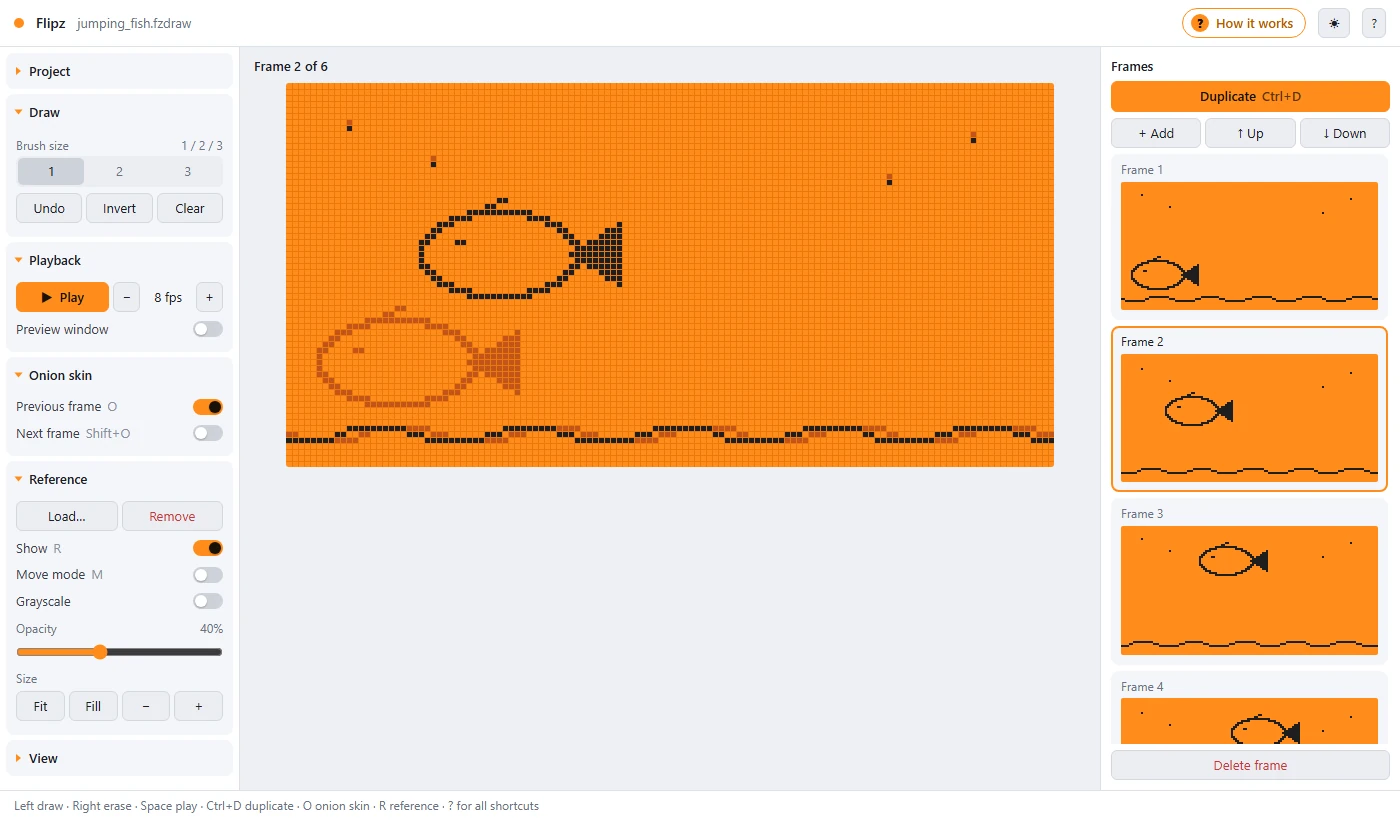
- Compare with onion skin. See the previous frame in reddish-brown and the next one in teal under your drawing, so motion stays smooth.
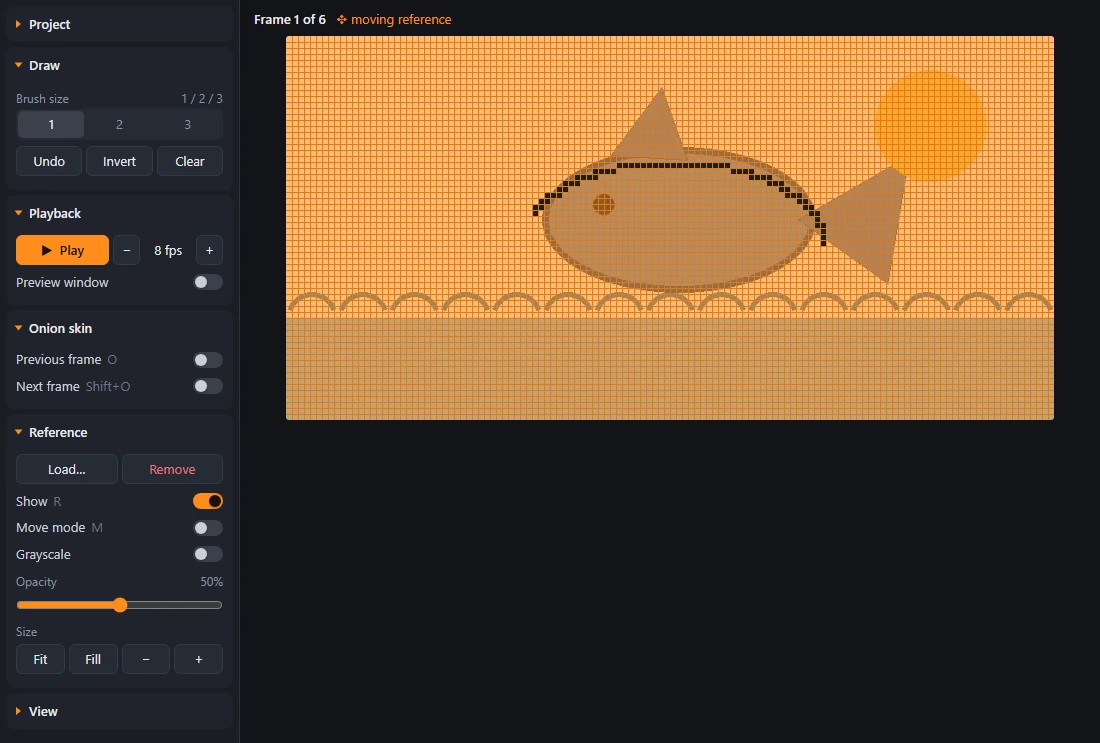
- Trace a picture. Load a PNG or JPG as a reference, then set its opacity, move it, scale it, or show it in grayscale. It's never exported.
- Preview the loop. Play the animation on the canvas the way the Flipper will show it, or keep a small live preview open at 1×, 2× or 3× while you draw.
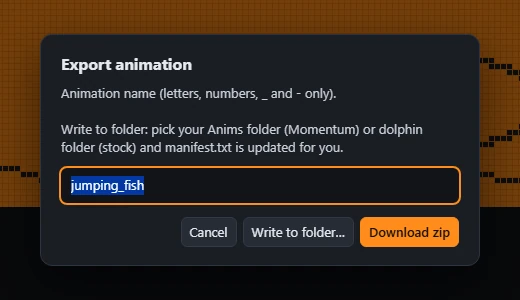
- Export in one step. Get a zip with
frame_0.bm,frame_1.bm…,meta.txtandmanifest.txt. In Chrome and Edge you can write the files directly into a folder instead. - Share it as a GIF. Project ▸ Export GIF makes an animated GIF that loops forever at your frame rate, in Flipper orange or black and white, from actual size up to 8×. Handy for posting your animation online.
- Light or dark. Switch with the moon/sun button in the top bar or View ▸ Dark mode. Your choice is remembered.
- Keep working later. Save a
.fzdrawproject with all frames, the frame rate and the reference image. You can also open existing uncompressed.bmfiles and 128×64 PNGs.
How to make a Flipper Zero animation
- Draw the first frame. Keep the top 12 rows fairly empty, because the Flipper's clock and battery bar covers them. Turn on View ▸ Status-bar guide (or press S) to see that area as a dashed blue line.
- Click Duplicate (or press Ctrl+D) and change the copy slightly. Turn on Previous frame in Onion skin to see what you're changing.
- Repeat until the motion is complete, then press Space to play it. Adjust the fps until the speed feels right.
- Open Project ▸ Export pack, give the animation a name (letters, numbers,
_and-), and download the zip.
How to install it on your Flipper Zero
Official firmware
- Connect the SD card to your computer, or use qFlipper's file manager.
- Copy the animation folder from the zip into
SD Card/dolphin/. - Add the animation's block from the zip's
manifest.txtto the end of themanifest.txtalready in that folder. Don't replace the existing file, or the built-in animations will no longer be listed. - Restart the Flipper.
Momentum firmware
- Copy the animation folder and
manifest.txtinto an asset pack'sAnimsfolder, for exampleSD Card/asset_packs/MyPack/Anims/. If that folder already has a manifest, add the new block to it instead. - Select the asset pack in Momentum's settings and restart.
With Write to folder in Chrome or Edge, Flipz adds the manifest entry for you.
File format reference
Frames: .bm
Each frame is one 128×64 image. Flipz writes it uncompressed: a single header byte 0x00, then 1024 bytes of pixel data. Rows go from top to bottom, 16 bytes per row; within each byte the least significant bit is the leftmost pixel, and 1 means a dark pixel. Each file is 1025 bytes.
Animation settings: meta.txt
Filetype: Flipper Animation
Version: 1

Width: 128
Height: 64
Passive frames: 3
Active frames: 0
Frames order: 0 1 2
Active cycles: 0
Frame rate: 8
Duration: 3600
Active cooldown: 0

Bubble slots: 0
Passive frames and Frames order follow the number of frames you drew, and Frame rate is the fps you chose. The manifest entry Flipz creates lets the animation appear at any level and mood (Min butthurt: 0, Max butthurt: 14, Min level: 1, Max level: 30, Weight: 3).
Frequently asked questions
What size are Flipper Zero animations?
The Flipper Zero screen is 128×64 pixels and 1-bit: every pixel is either on (dark) or off. There is no grey or colour; the orange comes from the backlight. Each animation frame is one 128×64 image.
How do I put a custom animation on my Flipper Zero?
Export the animation from Flipz, unzip it, and copy the animation folder to the Flipper's SD card: into SD Card/dolphin on the official firmware, or into an asset pack's Anims folder on Momentum. Add the animation's entry to the manifest.txt in that folder, then restart the Flipper.
What is a Flipper Zero .bm file?
A .bm file holds one 128×64 frame. Flipz writes the uncompressed form: one header byte 0x00 followed by 1024 bytes of pixels, 16 bytes per row from top to bottom, with the least significant bit as the leftmost pixel and 1 meaning a dark pixel. That is 1025 bytes per frame.
Can I trace a photo or drawing?
Yes. Load any PNG or JPG as a reference image, then adjust its opacity, size and position and draw over it. The reference is only shown in the editor and is never included in the exported files.
Is Flipz free, and are my drawings uploaded anywhere?
It is free, open source under the MIT license, and needs no account. Everything runs in your browser; drawings, reference images and projects stay on your device and are never uploaded.
Does it work offline?
Yes. Flipz runs from a single HTML file with no external dependencies. Save the page to your computer and it works without an internet connection.
Free and open source under the MIT license · No ads · No tracking · Your drawings never leave your device.
Flipz is an independent fan-made tool. It isn't affiliated with or endorsed by Flipper Devices Inc. Flipper Zero is a trademark of its owner.